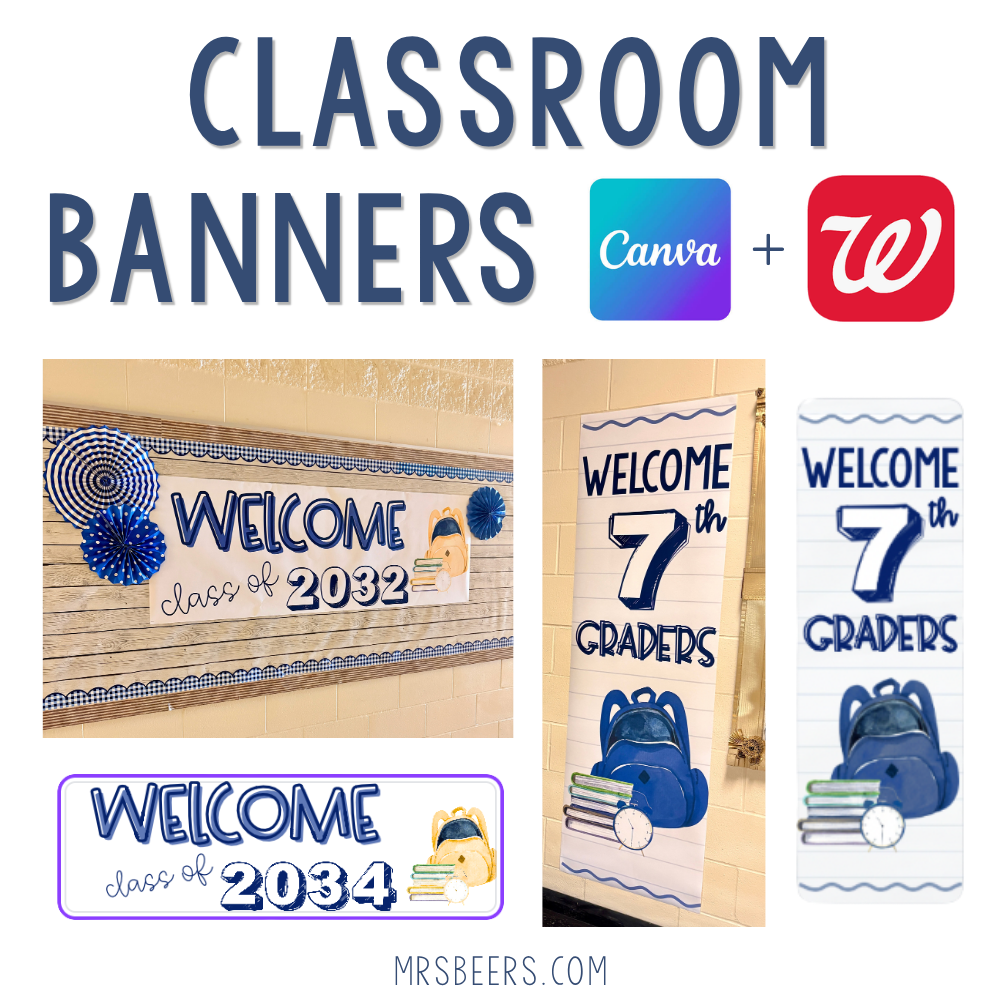
One trend I just had to try this year was designing my own classroom banners like the ones you see all over TikTok. My first concern, though, was about the printing quality. Could I design something large enough in Canva, with enough resolution, that it would look good when Walgreens printed it on a 2×6 banner?
Emergency ELA Sub Plans
🎁 Join my email list for a free set of my ELA Sub Plans!
It turns out, the process is SUPER EASY! If you’ve got a Canva account and a Walgreens nearby, you can have a professional, full-color classroom banner ready to hang in less than a day. I tried it myself, and I am officially obsessed.
Banners Over Bulletin Boards?
Instead of stapling bulletin board letters individually, you print ONE seamless banner with no limits on the fonts, colors, and clip art you can add to your design. You still get to share your creativity, but you spend that time in Canva. Then you print it through Walgreens Photo, so no cutting, laminating, or assembly is required. You just hang it.
My plan is to build a library of my favorite designs to create banners I can reuse every year for:
- My classroom door
- Welcome displays for the first day of school
- Meet the Teacher night
- Open houses and student conferences
- Hallway bulletin boards
Because these designs are editable, the initial time investment lets me make minor adjustments in the future without starting from scratch!
Getting Started – What You Need
- A free Canva account. You don’t need Canva Pro to edit a pre-made banner template, though Pro does unlock a few extra fonts and elements.
- A banner template sized for printing. This is the part that trips people up. Set your Canva design to 72″ x 24″ (horizontal) or 24″ x 72″ (vertical) to match the standard 2×6 foot Walgreens banner print.
- A Walgreens Photo account (free, and you can use your existing Walgreens login if you have one).
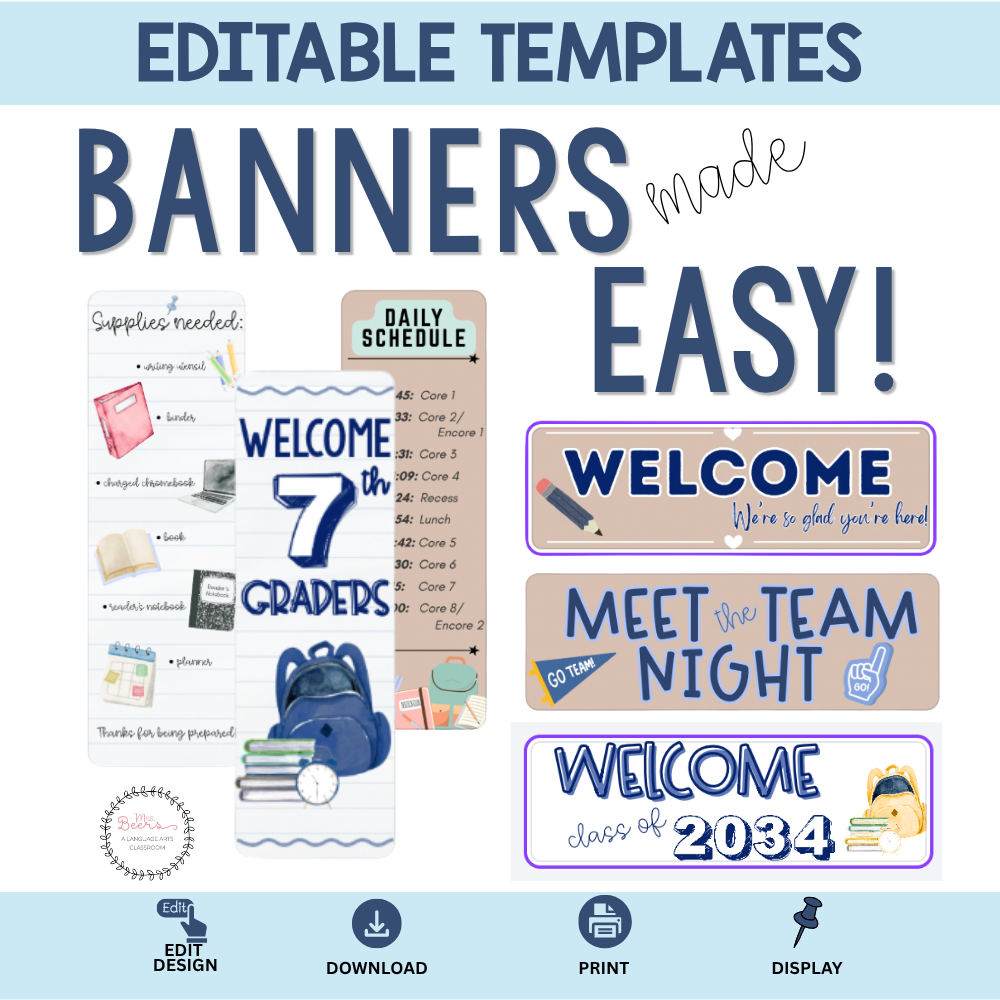
If you’d rather skip the setup entirely, I’ve done the sizing and design work for you. My Editable Classroom Banner Templates are already built in Canva at the correct Walgreens dimensions, so all you have to do is swap in your grade level or wording.
Designing Your Banner in Canva
- Open your template (or start a custom design) in Canva at 72″ x 24″ or 24″ x 72″.
- Edit the text. Swap in your grade level, teacher name, or welcome message. My templates come in ROYGBIV color options, so you can match your classroom theme without starting from scratch.
- Check your spelling twice. I say this from experience. Typos get expensive when each banner costs about $15 after coupon.
- Download as a PNG or PDF Print file. If your file is too large to upload, scale your design down proportionally (2 to 2.5x smaller) before exporting. It’ll still print sharp.
How to Upload and Print at Walgreens
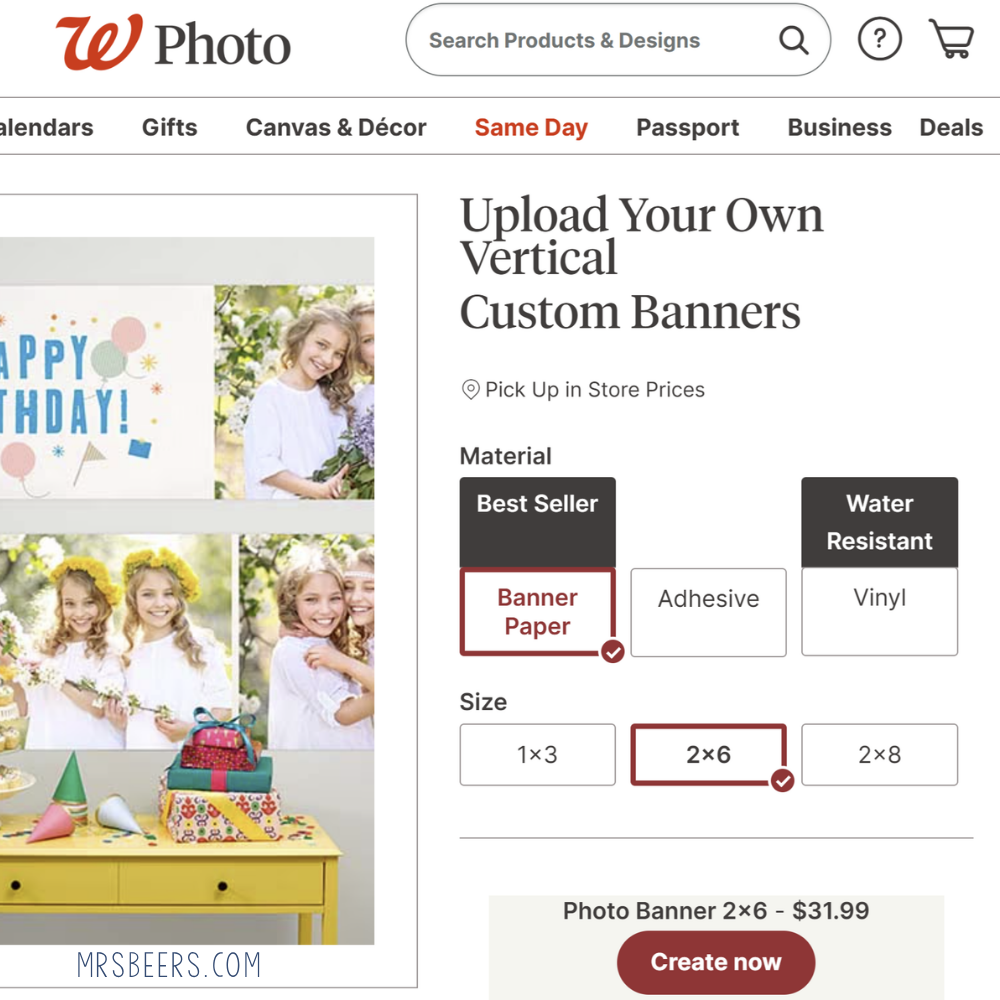
- Go to the Walgreens Photo Shop online or in the app.
- Search for “Banners” and select the size that matches your Canva design (2×6 for these classroom banners).
- Upload your downloaded file.
- Select same-day pickup at your local store. Most banners are ready in just a few hours.
Important: Check for a Coupon First
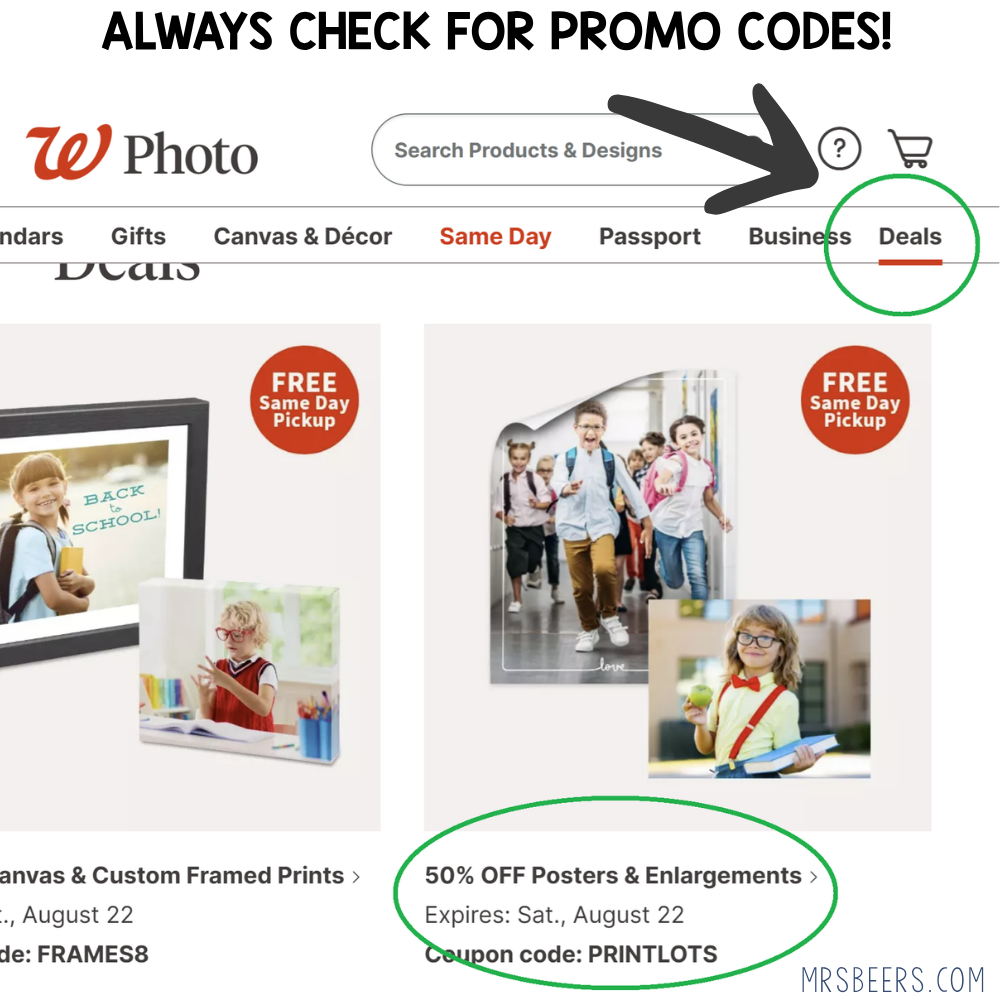
Before you check out, ALWAYS look at the Deals tab on the Walgreens Photo site. Banner and poster prints regularly go on sale for 40-60% off, and the codes rotate often. I have never paid full price for one of these banners, and neither should you!
Classroom Banner Ideas
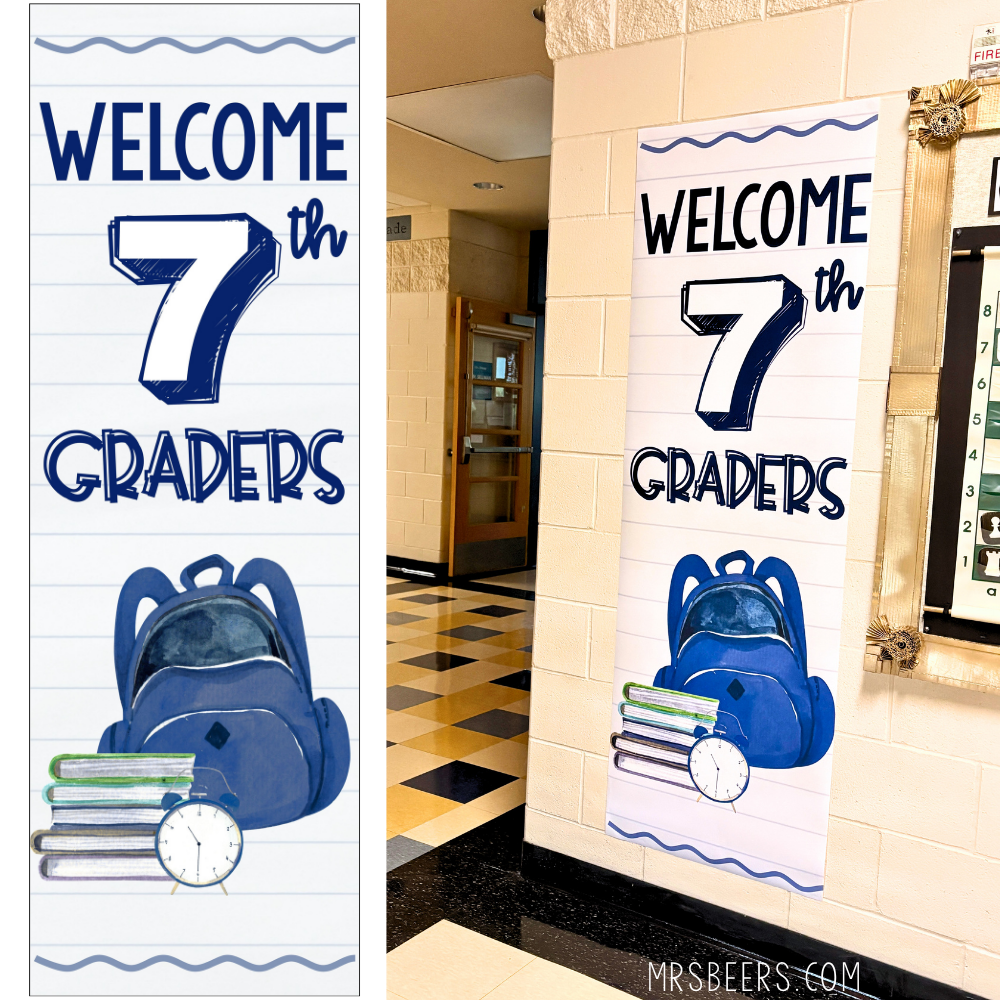
Here’s my Welcome 7th Grade banner hanging outside my classroom on the first day of school…
And here’s the Class of 2032 version…
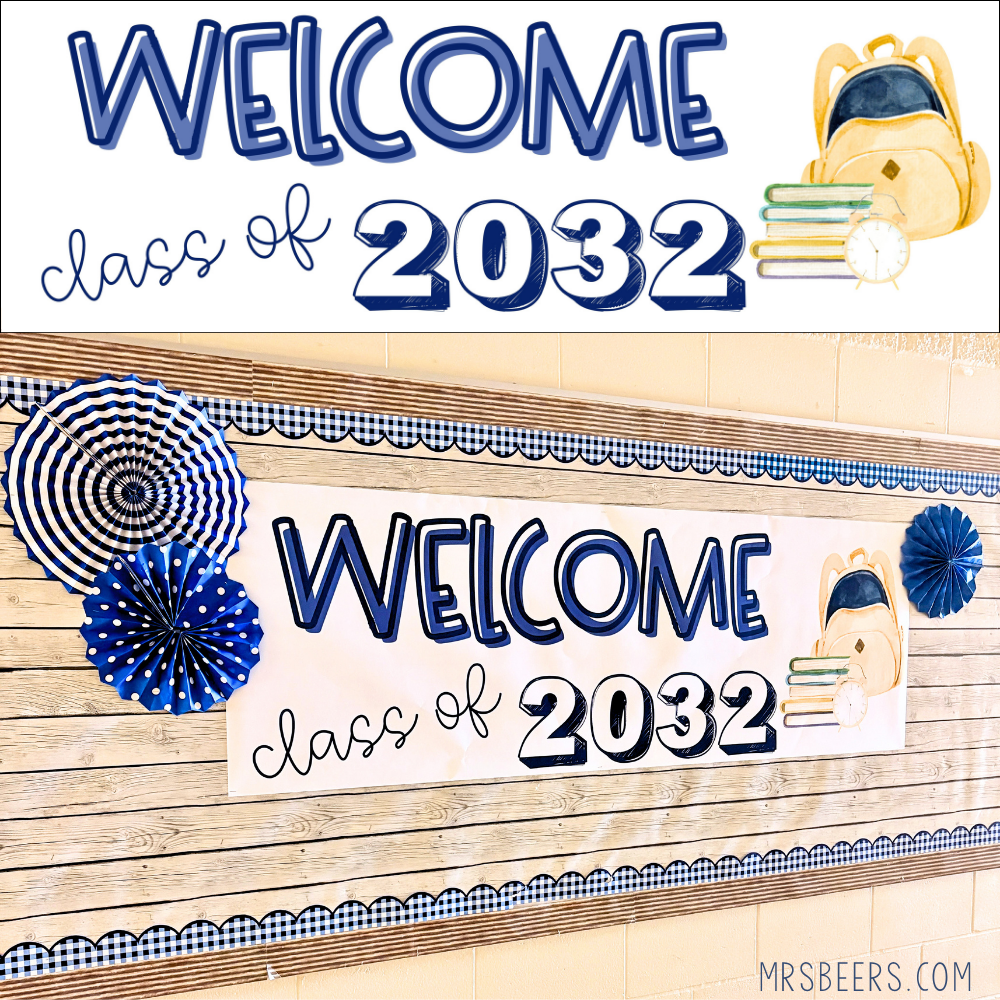
Grab the Templates and Skip the Design Work
If you’re looking for a print-and-go option to guide you through this whole process, my Editable Classroom Banner Templates for Middle School resource includes 20 pre-sized, ready-to-edit Canva banners, already built at 72″ x 24″ so you always start with the correct dimensions for printing.
What’s included:
- Welcome 5th-8th Graders (all ROYGBIV colors, editable)
- Welcome Class of 2031, 2032, and 2033 (editable)
- First Day of 5th-8th Grade banners (editable)
- Supplies Needed, Daily Schedule, and Meet the Team Night banners
- Coloring banner versions for 5th-8th grade (more on this in a future post)
Every variation is included in a single, editable Canva file, so you can add or edit messaging throughout the school year!
A Classroom Design Gamechanger!
This is one of the best time-saving, affordable ways to personalize your ELA classroom. The key is to take advantage of Walgreens promotions and buy in advance when there is a big discount. I also like that my Canva designs and the banners themselves are reusable! No more starting from scratch on your bulletin boards! I’ll keep adding new banner designs to this resource throughout the year, so check back for updates!